Request a 4-minute live video call with someone you want to reach or get paid to answer call requests.
How it works
Sending a request
You pay to reach someone.
Find someone
Search for the person you want to reach and see their price per call.
Send a request
Pay by card or Apple Pay to request a 4-minute video call.
Funds are held, not charged
The caller has 24 hours to accept or deny your request. If there is no response within 24 hours, the funds are returned with no charges.
Answer the 4-minute live video call
If your request has been accepted, your Minute web app will send a notification to answer. Your payment method is only charged when both the requester and caller have connected.
Responding to a request with a live video call
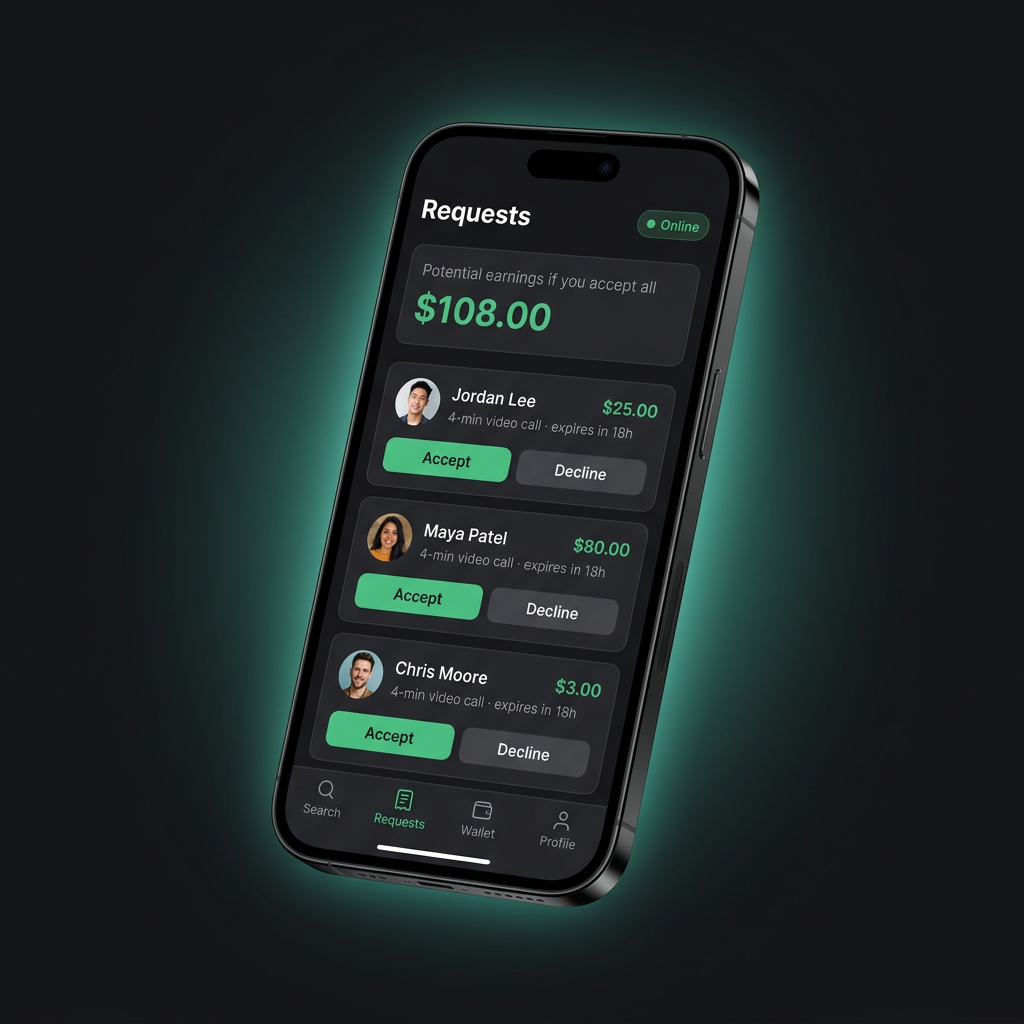
You get paid for your time.
Set your price
You need a Square account to get requests for paid calls. Set your own price for a 4-minute live video call, and connect Square in the Wallet tab to receive funds for your time.
Get a request
After connecting Square, toggle online and get alerted when someone sends you a paid request. Tap the share profile icon on your Minute profile to let people know you’re accepting live video requests with Minute.
Accept a request within 24 hours
Upon accepting an active request, the live video call will dial your requester. If they answer, the 4 minutes will begin.
Get paid
After call completion, your earnings will be instantly sent to your Square account.
Simple, secure payments
Set your own price for 4 min live video calls. Get paid straight to Square.